Radio and PodcastRadio and PodcastLive Radio & Podcasts
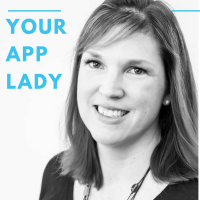
Episode 49 - Apps For Travel Part Two, A New Google Feature and a New Disneyland Hack artwork
Education

Episode 49 - Apps For Travel Part Two, A New Google Feature and a New Disneyland Hack

Your App Lady by Betsy Furler

Aug 24, 201810:06Education

Welcome to Episode Number 49! Today on the podcast, Italk about some of my favorite apps for travel in Part Two of my travel apps. But first, here is a little tech news for you. The news is from: Google is rolling out a...

About This Episode

Episode 49 - Apps For Travel Part Two, A New Google Feature and a New Disneyland Hack is an episode from Your App Lady by Betsy Furler. Welcome to Episode Number 49! Today on the podcast, Italk about some of my favorite apps for travel in P...

Podcast

This episode belongs to Your App Lady.

Listen Online

Use the player on this page to stream the episode online.

Episode Details

Published Aug 24, 2018, 10:06 long, audio available.

Questions About This Episode

What is Episode 49 - Apps For Travel Part Two, A New Google Feature and a New Disneyland Hack about?

Welcome to Episode Number 49! Today on the podcast, Italk about some of my favorite apps for travel in Part Two of my travel apps. But first, here is a little tech news for you. The news is from: Google is rolling out a new search feature for events that are customized for you. There's also a "For You" tab that should deliver events based upon your personal interests, with categories like running, cooking, and photography. Google has provided the tools for organizers to mark up their event listings, so you should see big happenings, but also smaller meetups happening in your neighborhood, like a local dancing class. Now when you search for an event and tap on it, an overview will be presented that shows details like ticket cost, venue reviews, time, and location. You can save events to revisit later, or click through to buy tickets via various vendors like StubHub and Ticketmaster. . Apps For Travel: I traveled to Washington, DC this summer and decided to do a two part feature on travel apps and how I used them for my trip. We were in DC for my son Henry to attend an educators' seminar at the Holocaust Museum and I was along in case of emergency. I spent most of the week wandering around alone and occasionally stopping in museums and coffee shops to get some work done! Here are the apps I used: Maps on the iPhone - Maps on the iPhone or Google Maps are available for all smartphones. These maps/direction apps are invaluable when traveling. You can now chose your method of transportation - walk, drive, ride share or public transportation. You can also find nearby restaurants, shops or services. I used this constantly while in DC. Between navigating the Metro and finding dinner, I used all the features! Big Bus Tours app for iPhone. This app pairs with the Big Bus Hop On and Off tours available in many cities. I used it in DC to find bus stops and to track where the buses were and when they would be at the stop. The app also gives additional information about the landmarks. Weather from the Weather Channel for iPhone, iPad, Android and Windows. This app gives you updates on the weather. I used it on my trip to DC to track the temperature, rain chances and the radar maps. Rinse Dry Cleaning and Laundry by Rinse - Rinse is a laundry and dry cleaning pick up and delivery service. The app allows you to schedule the service through your phone. This saved me on the trip since my son needed business casual clothes for most of the trip. We sent off his dress shirts and some laundry half way through the trip. The tip today is from: This hack makes your Apple Watch work in DisneyLand like a Magic Band in DisneyWorld Before I get to the steps, you'll need to download the Disneyland app and have Maxpass. You'll also need an Apple Watch. Open the Disneyland app and click on "Show PhotoPass Code." Screenshot the QR code on your phone. Edit the image by cropping it as a square just around the QR code.Select the image in Photos and click "Create Watch Face." Select the top option, "Photos Watch Face." Click "Add" below "Photos." Now for the rest of your trip, anytime you have a Disney park photographer take your photo, all they have to do is scan your watch. You don't have to pull out your phone, open the app, and wait for everything to load. It's just a one-step process. After the Disney park photographer scans your watch, open up the Disneyland app and click "Photos." Your PhotoPass photos will be there for you to upload to your phone! Thanks for listening to Your App Lady today! Share the podcast with your friends, they'll thank you for it! Get our newsletter and stay up to date by clicking here . Follow me Twitter : @yourapplady Instagram: @yourapplady Facebook: @yourapplady LinkedIn : @BetsyFurler Website : Voice over work by John Swasey - VO Producer -281-794-6551 johnswasey@sbcglobal.net Betsy can guide you through designing (or redesigning) your app or websites. Contact her at betsy@yourapplady.com or 713-542-8118 to get details about working with her.

Where can I listen to Episode 49 - Apps For Travel Part Two, A New Google Feature and a New Disneyland Hack?

You can listen to Episode 49 - Apps For Travel Part Two, A New Google Feature and a New Disneyland Hack online on Radio and Podcast. Open the player on this page to stream the available audio.

Which podcast is Episode 49 - Apps For Travel Part Two, A New Google Feature and a New Disneyland Hack from?

Episode 49 - Apps For Travel Part Two, A New Google Feature and a New Disneyland Hack is an episode from Your App Lady by Betsy Furler.

How long is this episode?

This episode is 10:06 long.

When was this episode published?

This episode was published on Aug 24, 2018.

Can I save Episode 49 - Apps For Travel Part Two, A New Google Feature and a New Disneyland Hack for later?

Yes. Use the heart button on the episode page to add it to your favorite episodes list.

Are there related episodes from Your App Lady?

Yes. This page shows related episodes from Your App Lady when more episodes are available from the podcast feed.

Quick Answers About This Episode

Where can I listen to Episode 49 - Apps For Travel Part Two, A New Google Feature and a New Disneyland Hack?

You can listen to Episode 49 - Apps For Travel Part Two, A New Google Feature and a New Disneyland Hack on this page when the episode audio is available from the podcast feed.

Which podcast is this episode from?

Episode 49 - Apps For Travel Part Two, A New Google Feature and a New Disneyland Hack is from Your App Lady by Betsy Furler.

What are the episode details?

Published Aug 24, 2018 and 10:06 long
