Radio and PodcastRadio and PodcastLive Radio & Podcasts
Repair AGC (automatic gain control) Clipping Artifacts from DSLR in Adobe Audition CS5.5 artwork
Education

Repair AGC (automatic gain control) Clipping Artifacts from DSLR in Adobe Audition CS5.5

Short and Suite by Adobe TV

Jan 16, 201213:25Education

In this tutorial, Principal Worldwide Evangelist for Adobe, Jason Levine demonstrates how to detect, analyze and repair digitally clipped samples and distortions caused by AGC on your DSLR and other video cameras and aud...

About This Episode

Repair AGC (automatic gain control) Clipping Artifacts from DSLR in Adobe Audition CS5.5 is an episode from Short and Suite by Adobe TV. In this tutorial, Principal Worldwide Evangelist for Adobe, Jason Levine demonstrates how to detect, an...

Podcast

This episode belongs to Short and Suite.

Listen Online

Use the player on this page to stream the episode online.

Episode Details

Published Jan 16, 2012, 13:25 long, audio available.

Questions About This Episode

What is Repair AGC (automatic gain control) Clipping Artifacts from DSLR in Adobe Audition CS5.5 about?

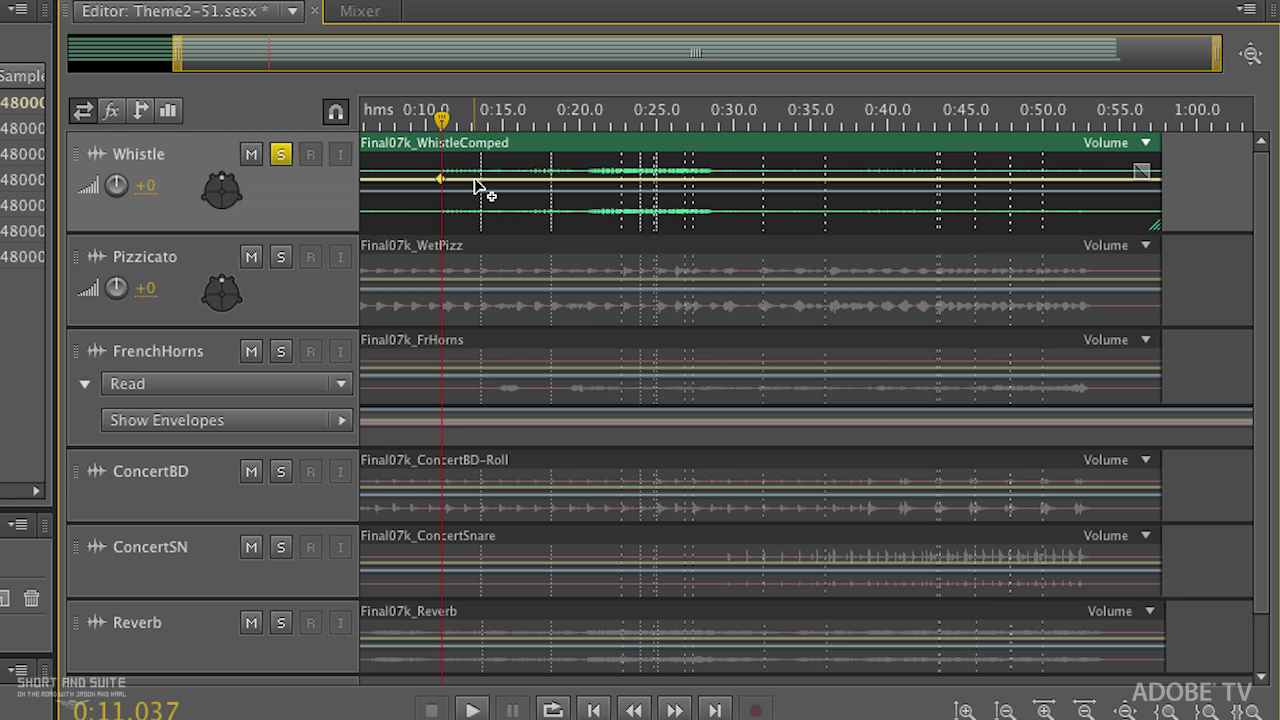
In this tutorial, Principal Worldwide Evangelist for Adobe, Jason Levine demonstrates how to detect, analyze and repair digitally clipped samples and distortions caused by AGC on your DSLR and other video cameras and audio-capture devices. Adobe Audition CS5.5's incredible tools for audio analysis and repair continue the application's legacy of fast, transparent, high-quality restoration. Normal 0 false false false EN-US X-NONE X-NONE /* Style Definitions */ table.MsoNormalTable {mso-style-name:"Table Normal"; mso-tstyle-rowband-size:0; mso-tstyle-colband-size:0; mso-style-noshow:yes; mso-style-priority:99; mso-style-qformat:yes; mso-style-parent:""; mso-padding-alt:0in 5.4pt 0in 5.4pt; mso-para-margin-top:0in; mso-para-margin-right:0in; mso-para-margin-bottom:10.0pt; mso-para-margin-left:0in; line-height:115%; mso-pagination:widow-orphan; font-size:11.0pt; font-family:"Calibri","sans-serif"; mso-ascii-font-family:Calibri; mso-ascii-theme-font:minor-latin; mso-fareast-font-family:"Times New Roman"; mso-fareast-theme-font:minor-fareast; mso-hansi-font-family:Calibri; mso-hansi-theme-font:minor-latin; mso-bidi-font-family:"Times New Roman"; mso-bidi-theme-font:minor-bidi;} For more helpful Adobe tutorials, visit Adobe TV,

Where can I listen to Repair AGC (automatic gain control) Clipping Artifacts from DSLR in Adobe Audition CS5.5?

You can listen to Repair AGC (automatic gain control) Clipping Artifacts from DSLR in Adobe Audition CS5.5 online on Radio and Podcast. Open the player on this page to stream the available audio.

Which podcast is Repair AGC (automatic gain control) Clipping Artifacts from DSLR in Adobe Audition CS5.5 from?

Repair AGC (automatic gain control) Clipping Artifacts from DSLR in Adobe Audition CS5.5 is an episode from Short and Suite by Adobe TV.

How long is this episode?

This episode is 13:25 long.

When was this episode published?

This episode was published on Jan 16, 2012.

Can I save Repair AGC (automatic gain control) Clipping Artifacts from DSLR in Adobe Audition CS5.5 for later?

Yes. Use the heart button on the episode page to add it to your favorite episodes list.

Are there related episodes from Short and Suite?

Yes. This page shows related episodes from Short and Suite when more episodes are available from the podcast feed.