Radio and PodcastRadio and PodcastLive Radio & Podcasts
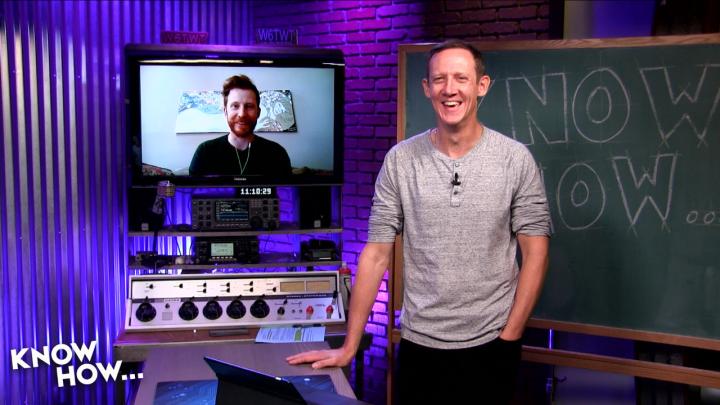
KH 402: Game Console Tips and Tricks - Imported games, media playback, game services artwork
Technology

KH 402: Game Console Tips and Tricks - Imported games, media playback, game services

Know How... (Video HI) by Leo Laporte

Sep 27, 201853:05Technology

For many, gaming begins with the console. Jason Howell and Sam Machkovech select a few of their favorite tips and tricks for each of the major consoles. Also, if media center capabilities is of high importance, there are...

About This Episode

KH 402: Game Console Tips and Tricks - Imported games, media playback, game services is an episode from Know How... (Video HI) by Leo Laporte. For many, gaming begins with the console. Jason Howell and Sam Machkovech select a few of their f...

Podcast

This episode belongs to Know How... (Video HI).

Listen Online

Use the player on this page to stream the episode online.

Episode Details

Published Sep 27, 2018, 53:05 long, audio available.

Questions About This Episode

What is KH 402: Game Console Tips and Tricks - Imported games, media playback, game services about?

For many, gaming begins with the console. Jason Howell and Sam Machkovech select a few of their favorite tips and tricks for each of the major consoles. Also, if media center capabilities is of high importance, there are definite considerations when picking a console for the home. Finally, every system has its own subscription based game service, and what they offer scales from a handful of retro titles to 600+ free games included. Xbox One: Game streaming to Windows 10 Play Xbox One games from console to any Windows 10 PC on home network 1. On Xbox One, enable game streaming: Xbox Button> Settings > Preferences > Xbox app connectivity 2. This Xbox: select Allow game streaming to other devices 3. Other devices: select either Allow connections from any device OR Only from profiles signed in on this Xbox. 4. On Win 10 PC (LENOVO LEGION Y530), launch Xbox app 5. In left side panel, select Connection to scan home network for your console 6. Select the name of your console and wait for it to connect 7. From there, you can select to launch Game Streaming, and pick a game to stream! 8. Quality adjustment for streaming: Settings > Xbox One > Streaming Quality (low->Very high) Lenovo Legion Y530 $629.99 & up Intel Core i5 @ 2.30GHz, 8GB RAM PS4: Share Play remotely w/ single copy of a game Required: System Software 2.0+ 2mbps+ upload speed PlayStation Plus subscription (just you, or both depending on mode) Setup Share Play 1. Invite friend into party from home screen 2. Load game 3. Press share button 4. Select Share Play 5. Select friend 6. PS4's now linked, 60 min session begins Have friend play for you (PS+ req'd for YOU only) 1. Press share button 2. Select Share Play 3. Select Give Controller to Visitor 4. Allow visitor to play for you 5. Share button > Take Back Controller when done Play friend in multiplayer (PS+ req'd for BOTH of you) 1. Share button 2. Select Share Play 3. Select Give controller to visitor 4. Select Play a Game Together 5. Share button > Take Back Controller when done Nintendo Switch: User another region's eShop 1. In a browser, create a NEW My Nintendo account . REMEMBER: Use a different email, AND put desired eshop region into the Country/Region box 2. On Switch: System settings > User < Add New User 3. Choose a new icon/user name 4. Link this new user to the NEW Nintendo Account you just created online 5. Press home if you are presented with a screen full of Japanese text 6. Select eShop from Home, then your Japanese account 7. Once you verify your account, enjoy the new selection of games! Xbox One The system that will surpass your new TV What it has: Media Apps, Blu-ray, DVD, Media Remote, Live TV passthrough/OneGuide/DVR, OneGuide, Audio CD, USB Media playback, play your music as game background, 4K UHD Blu-ray (Xbox One S) Supported media formats: 3GP audio 3GP video 3GP2 AAC ADTS animated GIF .asf AVI DivX DV AVI AVI uncompressed AVI Xvid BMP JPEG GIF H.264 AVCHD M-JPEG" ".mkv .mov MP3 MPEG-PS MPEG-2 MPEG-2 HD MPEG-2 TS H.264/MPEG-4 AVC MPEG-4 SP PNG TIFF WAV WMA WMA Lossless WMA Pro WMA Voice WMV WMV HD Supports DLNA Media Server Supports 3rd party Windows 10 UWP apps to fill in the gaps PS4 Matches what you might find on your smart TV What it has: Media Apps, Blu-ray, DVD, Media Remote, USB Media playback, Play your music W These show notes have been truncated due to length. For the full show notes, visit Hosts: Jason Howell and Sam Machkovech Sponsors: expressvpn.com/knowhow ITPro.TV/knowhow - use the code KNOWHOW30

Where can I listen to KH 402: Game Console Tips and Tricks - Imported games, media playback, game services?

You can listen to KH 402: Game Console Tips and Tricks - Imported games, media playback, game services online on Radio and Podcast. Open the player on this page to stream the available audio.

Which podcast is KH 402: Game Console Tips and Tricks - Imported games, media playback, game services from?

KH 402: Game Console Tips and Tricks - Imported games, media playback, game services is an episode from Know How... (Video HI) by Leo Laporte.

How long is this episode?

This episode is 53:05 long.

When was this episode published?

This episode was published on Sep 27, 2018.

Can I save KH 402: Game Console Tips and Tricks - Imported games, media playback, game services for later?

Yes. Use the heart button on the episode page to add it to your favorite episodes list.

Are there related episodes from Know How... (Video HI)?

Yes. This page shows related episodes from Know How... (Video HI) when more episodes are available from the podcast feed.

Quick Answers About This Episode

Where can I listen to KH 402: Game Console Tips and Tricks - Imported games, media playback, game services?

You can listen to KH 402: Game Console Tips and Tricks - Imported games, media playback, game services on this page when the episode audio is available from the podcast feed.

Which podcast is this episode from?

KH 402: Game Console Tips and Tricks - Imported games, media playback, game services is from Know How... (Video HI) by Leo Laporte.

What are the episode details?

Published Sep 27, 2018 and 53:05 long